Powerful Filters for wpDataTables - Cascade Filter for WordPress Tables v1.4.6
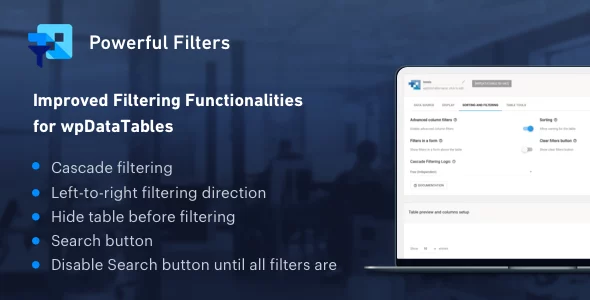
Powerful Filters is a multifunctional addon for wpDataTables which widely extends the default filtering functionalities that wpDataTables provides for Tables in WordPress.
The addon will add several new features to wpDataTables:
- Cascade Filtering - from left to right (dependent) - with this option users will be able to choose filter values in the order from left to right, options list in each next filter will be narrowed down by previous one; each next filter will become enabled only when a selection in the previous one is made.
- Cascade Filtering - free (independent) - this feature allows to use Cascading Filters in WordPress Tables without the restriction to always define the filter values from left to right. Users can make a selection in any filter, and it will narrow down the filters for all other columns. It is implemented in a similar manner in popular spreadsheet tools (Excel, Google Spreadsheet, etc.)
- Hide Table before filtering - by using this option you can show only the filters in frontend, and keep the table hidden until a selection is made in the filter. It is extremely helpful when filters and tables are used to search through large catalogs, and seeing the complete dataset isn’t relevant to the users. Please note that filters need to be rendered in a form outside of the table so that function could be used.
- Search Button - by default the searching and filtering is working “live” in wpDataTables - i.e. every time you change any of the filters the table updates with the new filtering criteria. By using the Search Button function you can change this behaviour, and make the table apply the filters only when the Search button is clicked. This option requires filters to be rendered in a form outside of the table as well.
- Disable Search button until all filters are selected - if you enable this option, the search button will stay disabled until some options in all available filters are selected. This function works only in combination with the “Search button”.
Download denied
Please login to access this content.
This post was updated at 23/01/2026
 codecanyon" class="w-full h-full object-cover">
Keyword cloud
Previous Post
The Grid - Responsive Wordpress Grid Plugin
Next Post
WP Force SSL Pro - Fix SSL on any WordPress Site
You might like

wpDataTables - Tables and Charts Manager for WordPress
26/07/2026
Plugins

HUSKY - Products Filter Professional for WooCommerce
11/08/2026
Plugins

Woocommerce Smart Manager - Bulk Edit, Stock Management
11/07/2026
Plugins

Ninja Tables Pro - The Fastest and Most Diverse WordPress DataTables Plugin
23/07/2026
Plugins

Chaty Pro - Floating Chat Widget, Contact Icons, Messages, Telegram, Email, SMS, Call Button
11/08/2026
Plugins

Ajax Search Pro - Live WordPress Search & Filter Plugin
06/06/2026
Plugins