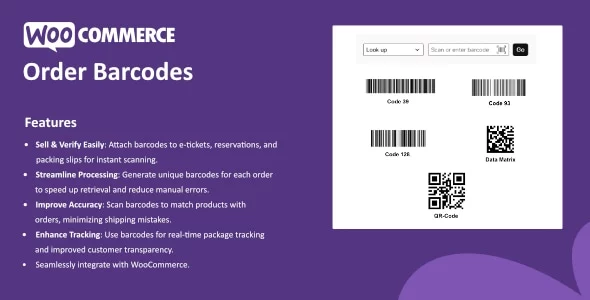
WooCommerce Order Barcodes creates unique barcodes for each order placed on your site. These barcodes can be utilized on e-tickets, e-reservations, packing slips, or any other item that would benefit from having a scannable barcode attached.
Features
- Sell & Verify Easily: Attach barcodes to e-tickets, reservations, and packing slips for instant scanning.
- Streamline Processing: Generate unique barcodes for each order to speed up retrieval and reduce manual errors.
- Improve Accuracy: Scan barcodes to match products with orders, minimizing shipping mistakes.
- Enhance Tracking: Use barcodes for real-time package tracking and improved customer transparency.
- Seamlessly integrate with WooCommerce.
Download denied
Please login to access this content.
 codecanyon" class="w-full h-full object-cover">
Keyword cloud
Previous Post
ToolboxAI - AI Tools Directory SaaS
Next Post
FacetWP - Advanced Filtering for WordPress
You might like

WooBase - Faster, Smarter, Secure WooCommerce Management
23/05/2026
Plugins

WooCommerce Notification - Boost Your Sales
24/06/2026
Plugins
WooCommerce Support Ticket System
06/02/2026
Plugins

ShopEngine Pro
11/06/2026
Plugins

Event Tickets Plus
15/03/2026
Plugins

WooCommerce Free Shipping Bar - Increase Average Order Value
01/07/2026
Plugins